Approvals
Document approval workflows with SLA and notifications
Without this app, Mayan cannot enforce approvals
Mayan EDMS has no built-in approval system. Right now, your validation process probably looks like this:
- You email a colleague to review a contract — they forget, or reply three weeks later
- You have no way to know whether the right people have actually seen the document
- An auditor asks "who approved invoice #4521 and when?" — you search through email threads for 45 minutes
- A document reaches the "Approved" state in Mayan even though nobody formally reviewed it
- A step in the chain gets skipped because there's nothing to enforce the order
There is no way to fix this inside Mayan without a dedicated approval module.
What becomes possible with Approvals
- Enforce a chain. A contract cannot advance to "Signed" until Legal, then the Manager, then the CFO have each approved it — in that order, with no way to skip a step.
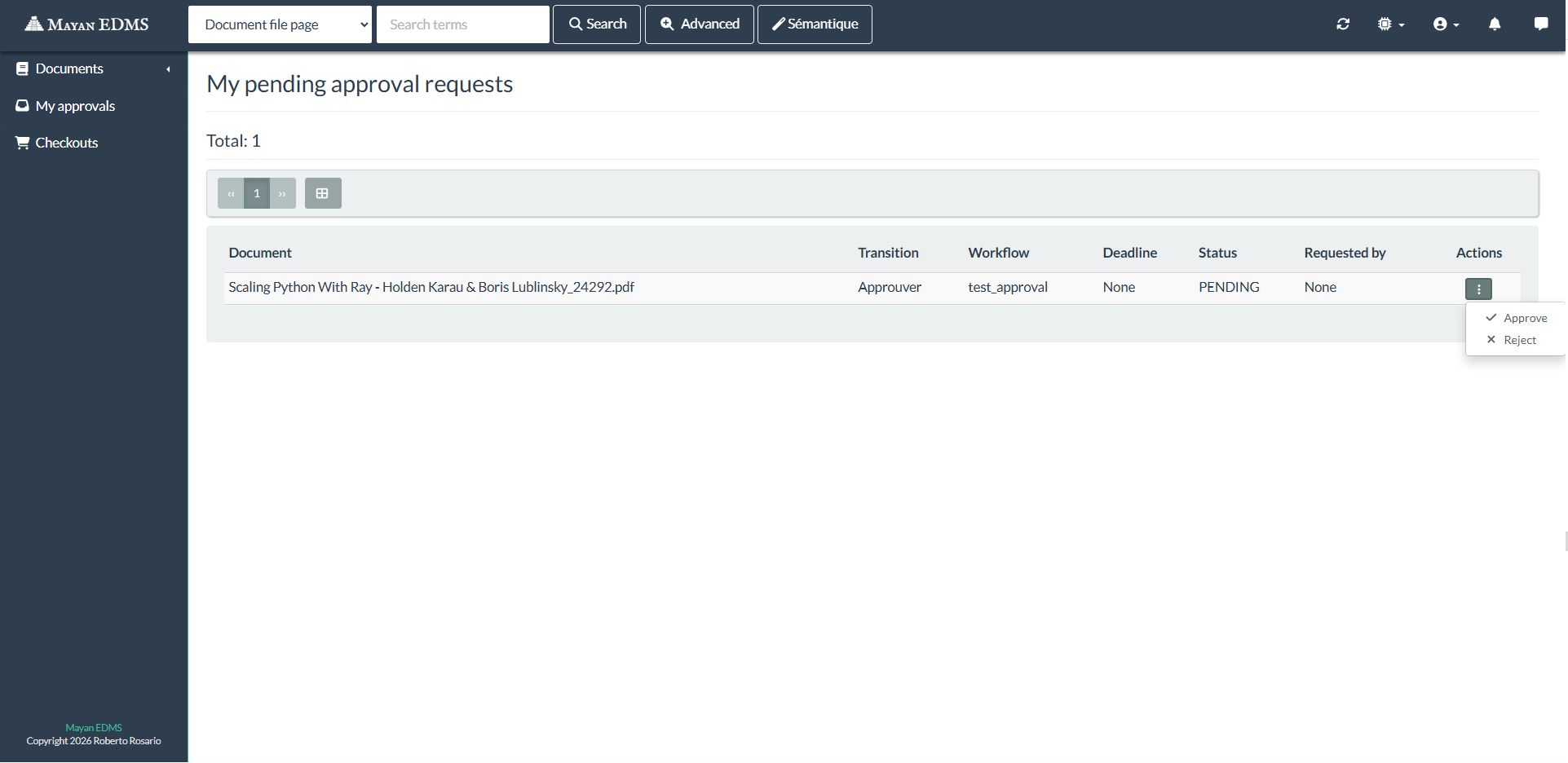
- Email notifications with a direct link. Each approver receives a notification pointing directly to the approval request in Mayan — one click to approve or reject, with a comment, and no navigation needed.
- Configurable quorum. Define exactly how many approvers must respond — unanimous, a minimum threshold, or a single sign-off — and the document advances automatically once the condition is met.
- Automatic reminders and SLA. If an approver hasn't responded within the configured window, a reminder goes out automatically. If the SLA deadline expires, the document is escalated.
- Rejections leave a trace. A rejection requires a mandatory comment. The full history — who approved, who rejected, what they wrote, when — is permanently attached to the document in Mayan.
- The document state follows the decision. An approved document automatically moves to the next Mayan workflow state. A rejected document returns to the previous step. No manual intervention needed.
- Audits answered in seconds. Every approval decision is logged with a timestamp and a user. "Who approved this?" is a one-click query, not a 45-minute email excavation.
Ideal for: contracts, supplier invoices, HR documents, internal procedures, regulatory submissions — any document that needs a traceable sign-off before it can move forward.
Private repo access included
Updates included
Compatible Mayan 4.x
Choose your annual plan
Recommended
Professional
$2499.00/yr
- Source code access
- Updates included
- Community forum
- Email support (48h response)
- 5h installation assistance
Enterprise
$4999.00/yr
- Source code access
- Updates included
- Community forum
- Priority support (24h response)
- Unlimited installation assistance
- Monthly video call
- Custom development on request
Automatic annual renewal via PayPal · Cancel at any time